Budgets that survive month two: auto-rollover explained
Everyone finishes their first budget month feeling something. Usually it is guilt about one category and pride about another. The real test comes on the 1st of the next month, when the budget quietly asks you to rebuild it: re-enter the categories, re-type the amounts, decide everything all over again.
That small ritual is where most budgets end. Not in a dramatic blowout, just in a month two that never gets set up.
The idea behind Lekkalu’s budget is simple: the budget that survives is the one you never have to rebuild.
Auto-rollover: your plan follows you into the new month
When a new month starts, your budget is already there. On your first app open of the month, Lekkalu carries your most recent budget forward automatically:
- Your monthly income carries over.
- Every category keeps its allocation, its color, and its order.
- Spending resets to zero, and anything you already logged this month is counted in from day one, so the ring is correct the moment you see it.
There is no button to press and nothing to remember. If you changed your plan last month, the changed plan is what rolls forward. Your budget becomes a standing decision instead of a monthly chore.
Reading the budget page
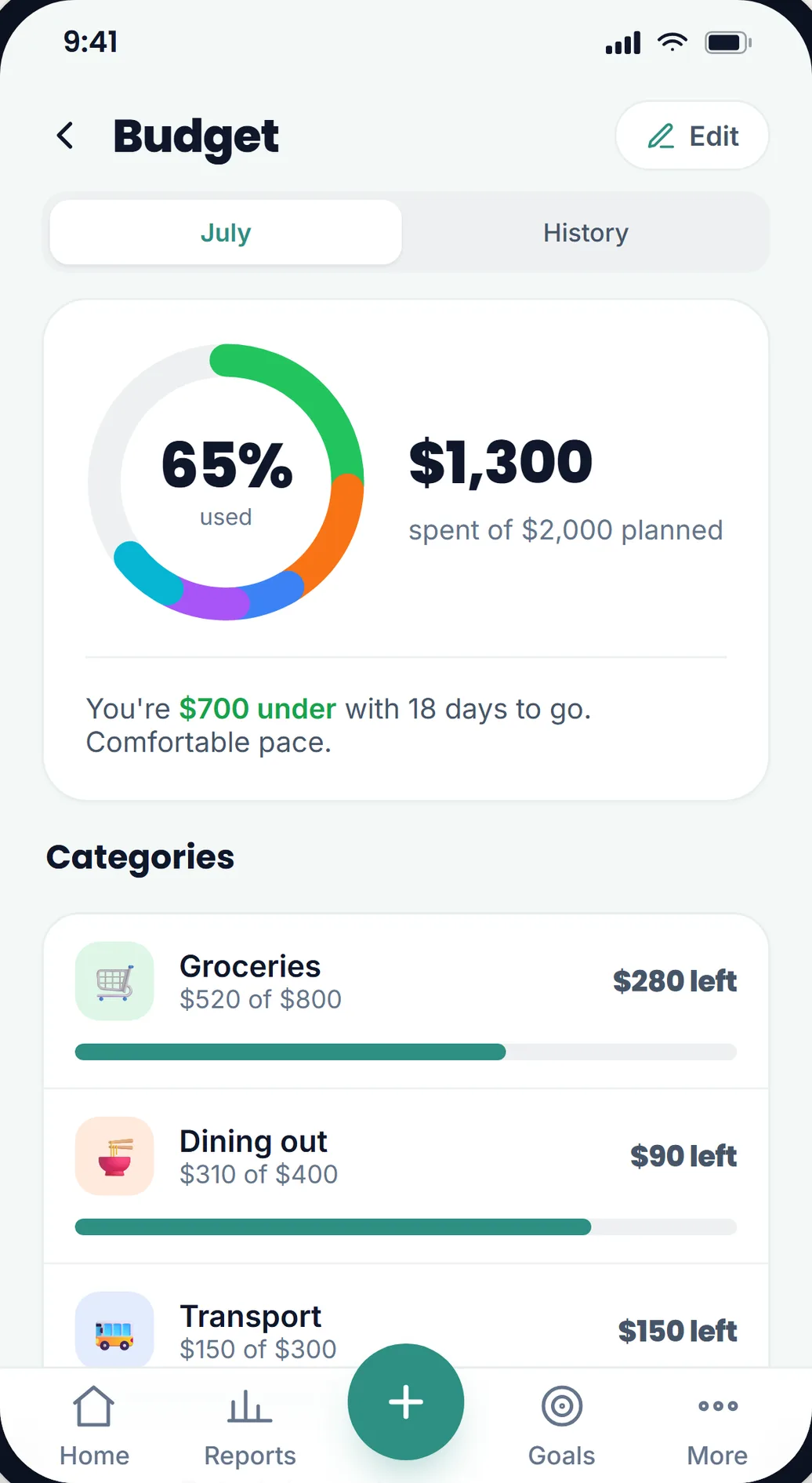
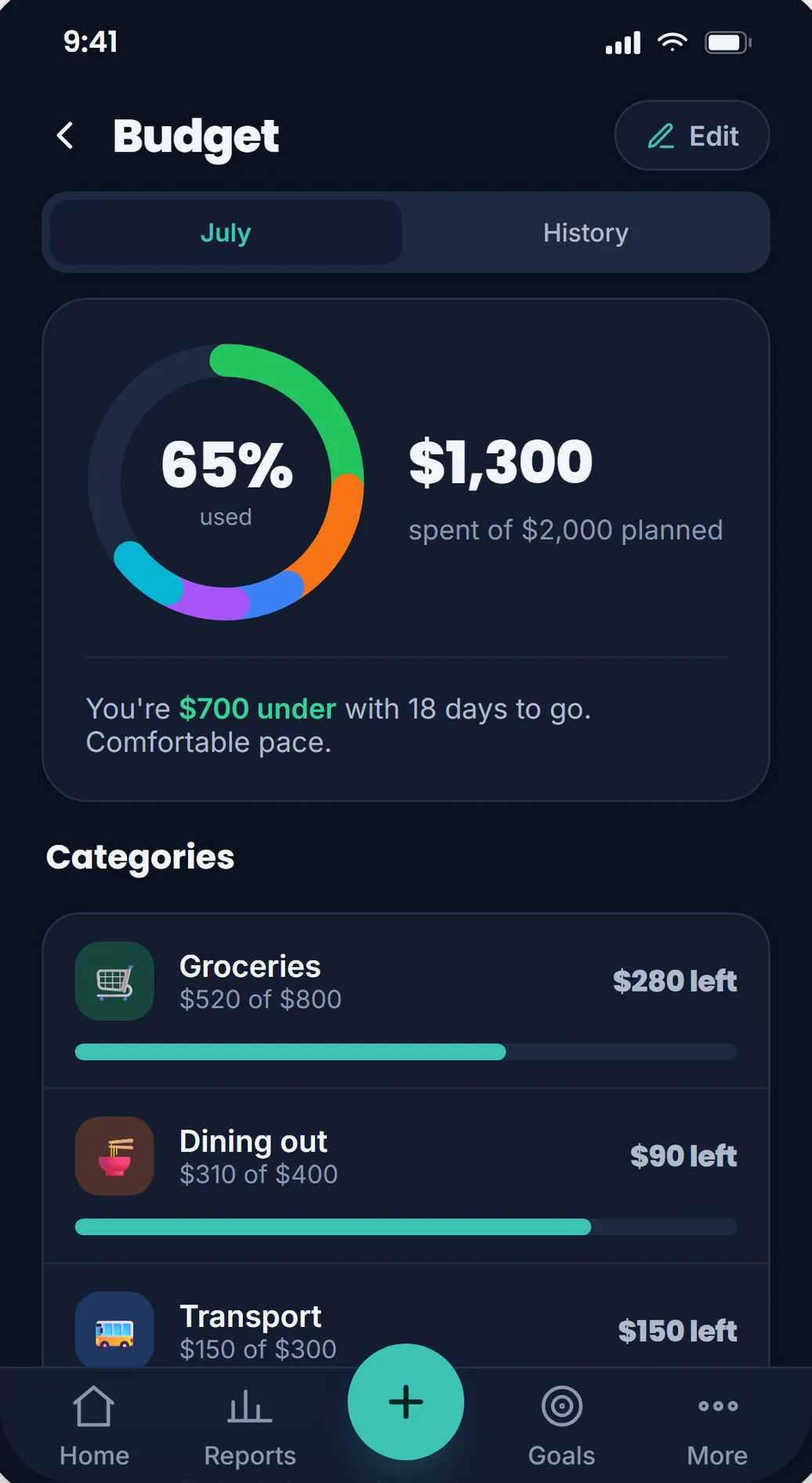
The ring is the whole month at a glance. Each colored arc is a category, sized by what you have spent, and the center shows how much of the total plan is used. Under it, one plain sentence tells you where you stand: how far under or over you are, and how many days are left.
Each category below gets its own bar. The bar stays teal while you are inside the plan and turns red only when a category goes over. Tap a category to see the transactions behind it and a simple per-day pace for the rest of the month.
Three habits that make a budget stick
1. Budget from your income, not your wishes. In edit mode, Lekkalu asks for your monthly income and shows a running tally of what you have planned and what is still free to assign. If your plan adds up to more than you earn, it tells you before the month does.
2. Start with five categories. A budget with fifteen categories is a filing system, not a plan. Pick the handful where your money actually moves: groceries, dining out, transport, fun, subscriptions. You can add more later once the habit holds.
3. Treat a red bar as information, not failure. Going over in one category is data about your real life. Adjust that category’s amount for next month and let it roll forward. A budget you edit is a budget you are still keeping.
Month two is where the habit shows
The History tab keeps every month side by side: how much of each plan you used and whether you landed under or over. Watching that list grow is quietly motivating in the same way a streak is. One month is an experiment. Three months is a habit.
And because this is Lekkalu, all of it stays on your device. Your budget, your categories, and every transaction behind them are encrypted locally. Nobody else can read them, including us.
Set yours up in about a minute
Open the app, go to Budget, and tap Set up your budget. Enter your income, give your top categories an amount each, and you are done. Next month it will be waiting for you.
Donations keep the app alive and support the development effort. Donate
Questions or feedback? Email [email protected].